
01
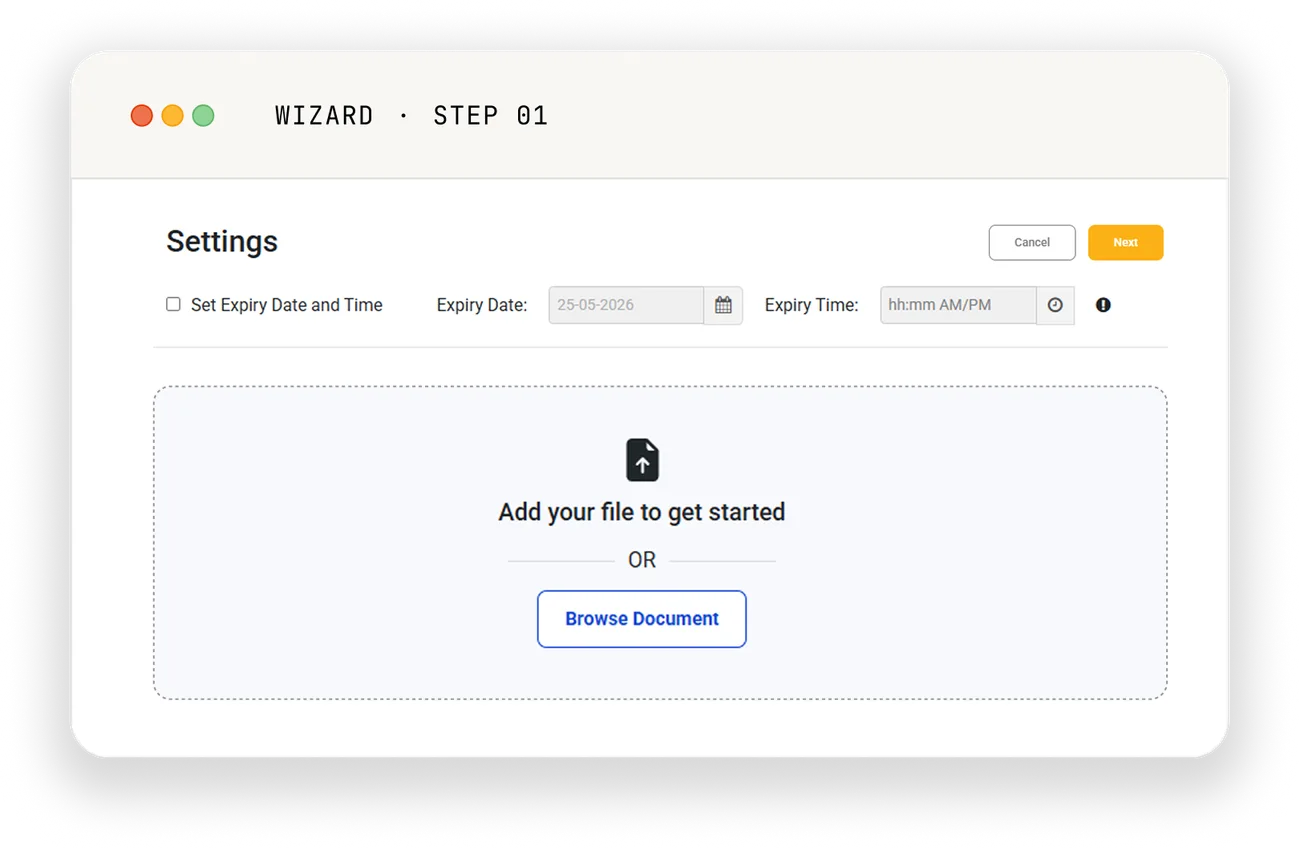
Upload your document
Drop in a PDF or Word file. We convert Word to PDF automatically. Files up to 25 MB; drag-and-drop or pick from your computer. Or start from a saved template — the document and its signer roles, ready to send.
How Accordsign works
Four steps. No training required. Recipients don't need an Accordsign account.
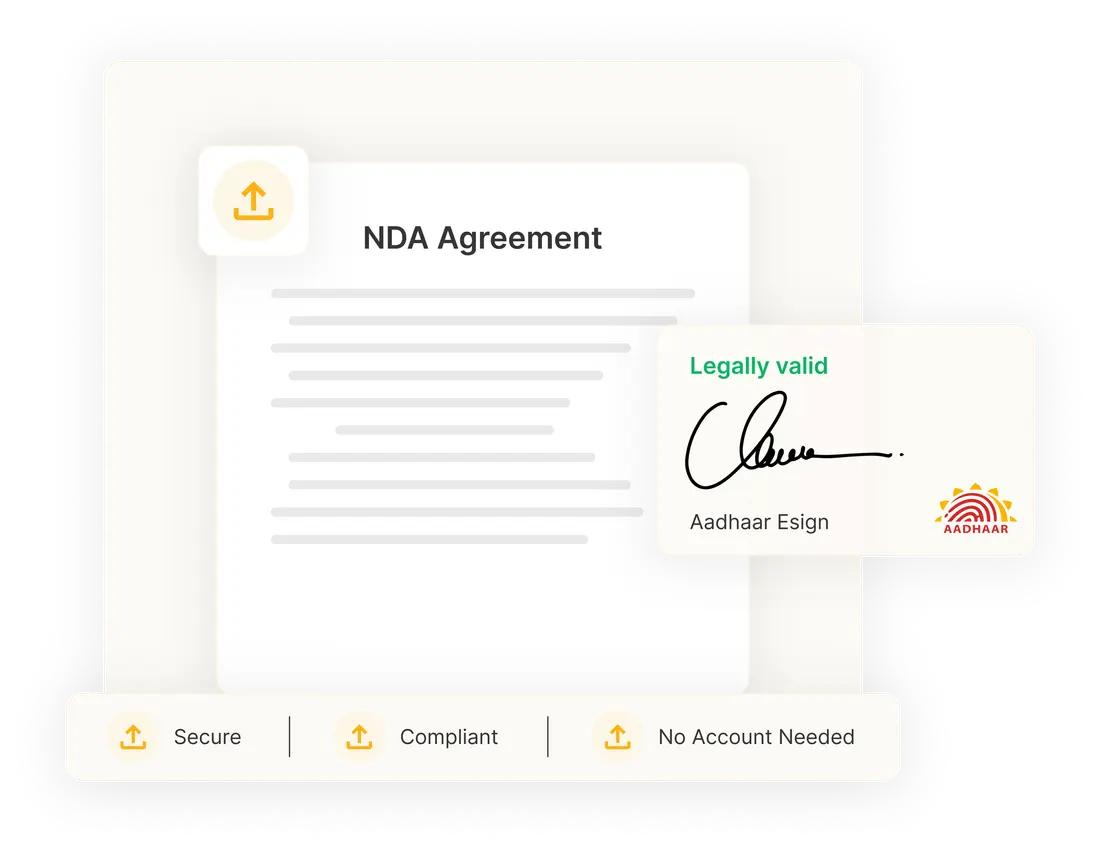
Drop in a PDF or Word file. We convert Word to PDF automatically. Files up to 25 MB; drag-and-drop or pick from your computer. Or start from a saved template — the document and its signer roles, ready to send.
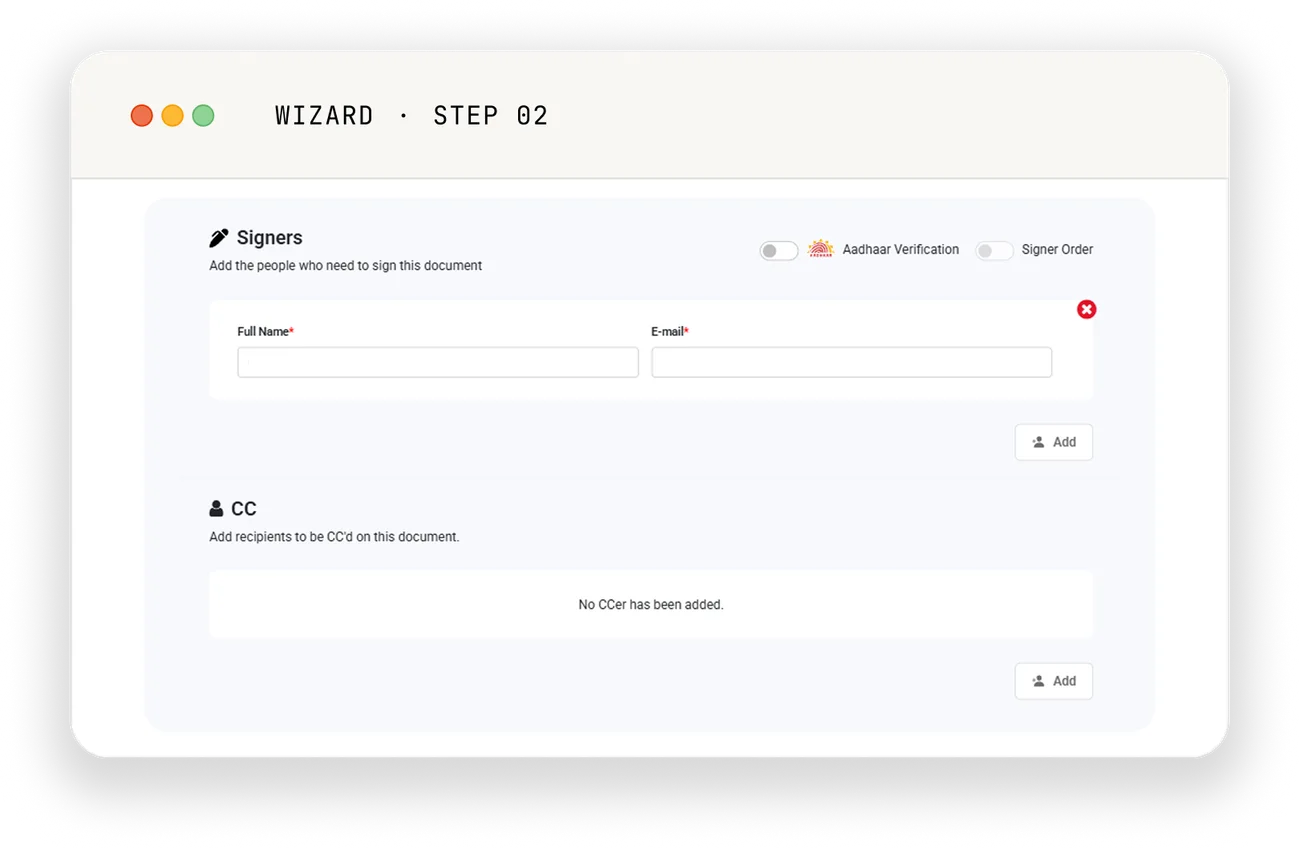
Add signers, approvers, and CCs — each with their own permissions. Pull frequent recipients straight from your saved contacts instead of retyping them. Set a signing order when sequence matters; leave it off when it doesn't. Approvers don't sign; CCs just receive a copy when the envelope completes.
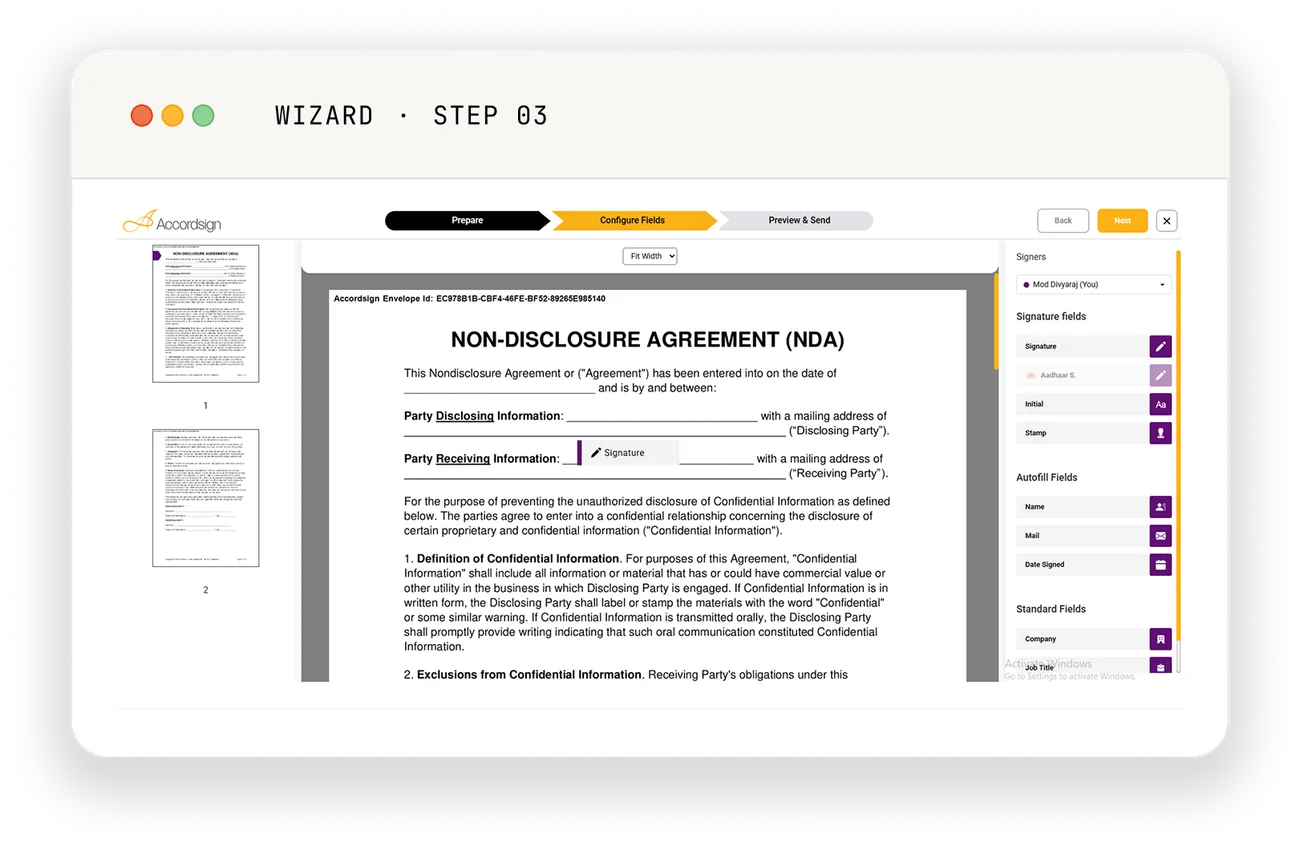
Drag signature, date, initial, and text fields onto the page exactly where they belong. Mark a field "Aadhaar-required" to make the signer authenticate with their Aadhaar OTP at that field.
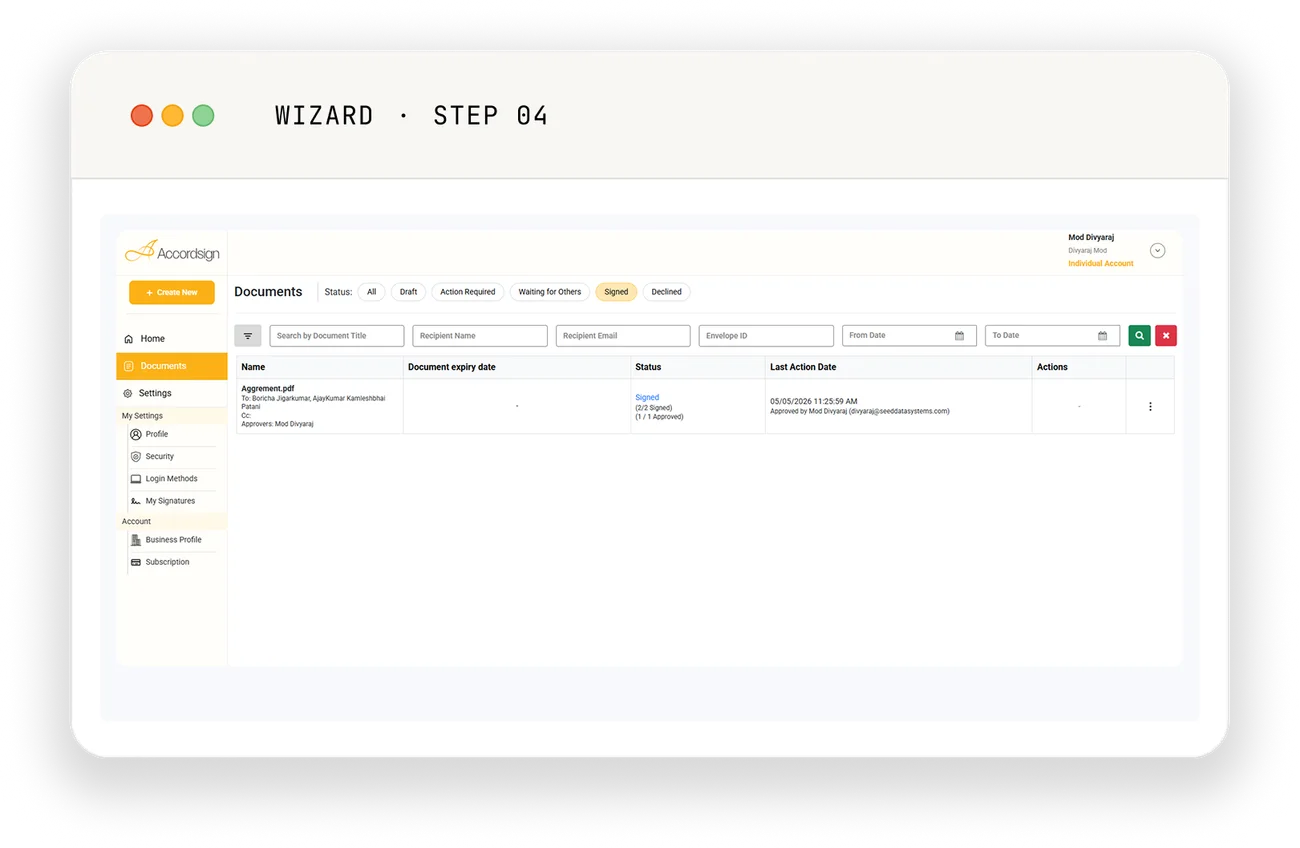
Send the envelope. Recipients get a secure link by email — no Accordsign account needed on their end. Watch real-time progress in your dashboard. Download the signed PDF and audit trail the moment the last signature lands.
What makes it different
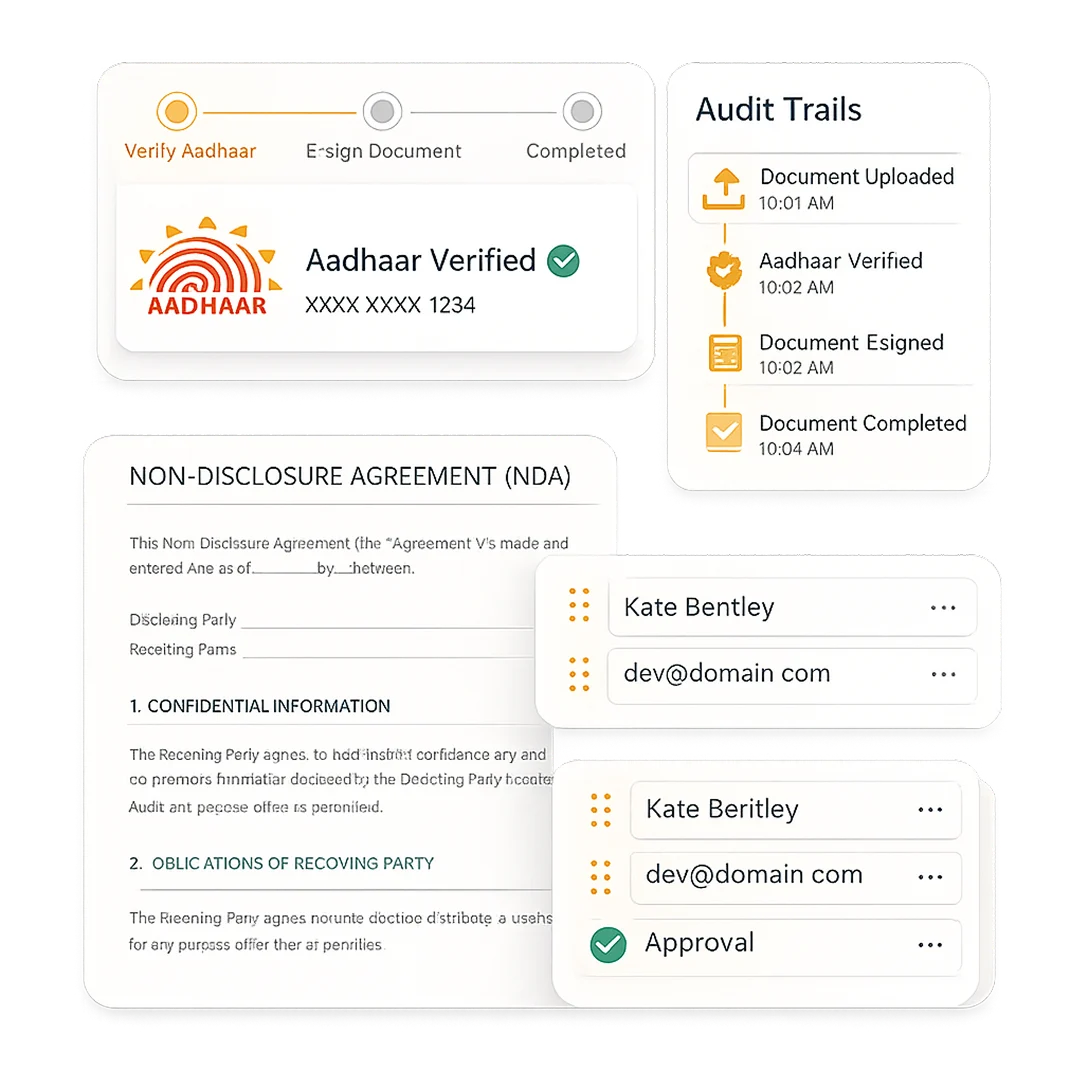
Aadhaar eSign included on every plan. INR-native pricing. Compliance framed for Indian businesses without losing global readiness.
Parallel, sequential, or mixed — configure the routing once per envelope. The platform handles it automatically.
Every action timestamped with IP, device, and authentication method. Downloadable as a separate PDF alongside the signed document.
Bulk Send delivers the same document to up to 500 recipients at once, personalised to each from an uploaded CSV. Every recipient gets their own private copy, never a shared thread. Available on Business plans.
Who uses Accordsign and for what
NDAs before discovery calls. SOWs before project kickoff. Invoices that double as signed agreements.
Co-founder agreements, term sheets, hiring docs — signed in the time it takes to forward an email.
Offer letters that go out the same day the candidate accepts. PIPs and exit paperwork with a clean audit trail.
Contract execution with a defensible audit trail for every action.
MSAs, SOWs, and vendor agreements with a clean audit trail on every one.
Vendor onboarding, customer agreements, partner deals — without seat-per-user enterprise pricing getting in the way.
Behind the scenes
The stuff that doesn't show up in a screenshot but matters when your CFO, your legal counsel, or your auditor asks.

Signed documents stored in Microsoft Azure, encrypted at rest, TLS in transit. Audit trails kept for the lifetime of your account.

Aadhaar-authenticated signing is performed by a CCA-licensed eSign Service Provider, consistent with the IT Act 2000 Section 3A.

Every signature, every approval, every view — timestamped with IP and authentication method. Downloadable as a separate PDF.

Architected to SOC 2 standards. ESIGN Act compliant. Designed for HIPAA frameworks. We tell you what we are; we don't over-claim what we aren't.
No credit card. No commitment. See whether Accordsign fits before you spend a rupee.